What's new in October

Here’s a roundup of a few of the new features and improvements we introduced over the last month.
🗂️ Updated Referral Actions View
We’ve improved how actions work within the referral view to make managing referrals faster and more flexible.
What’s new
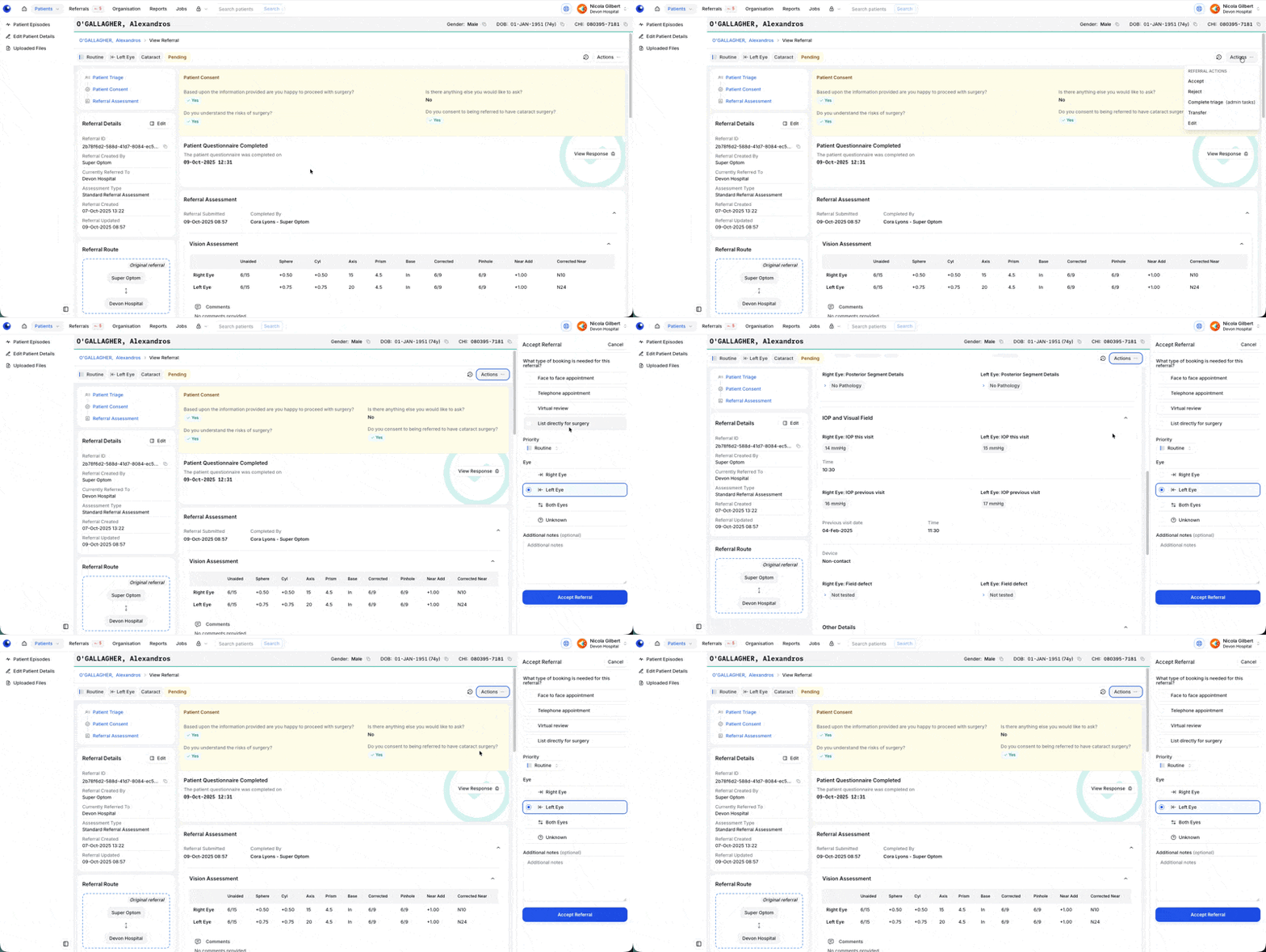
When you select an action, it now opens in a panel on the right-hand side of the screen.
You can continue to view and interact with referral details while completing the action — no more switching back and forth.
For the “Accept” action, you can now update the eye and priority directly within the panel.
Why we made this change
This update streamlines referral workflows by reducing screen changes and keeping key context visible while taking action — helping you work more efficiently and with fewer clicks.
📊 Cataract Post-Op Assessment Reporting
We’ve added new reporting tools to help you review and analyse key data from Cataract Post-Op Assessments.
What’s new
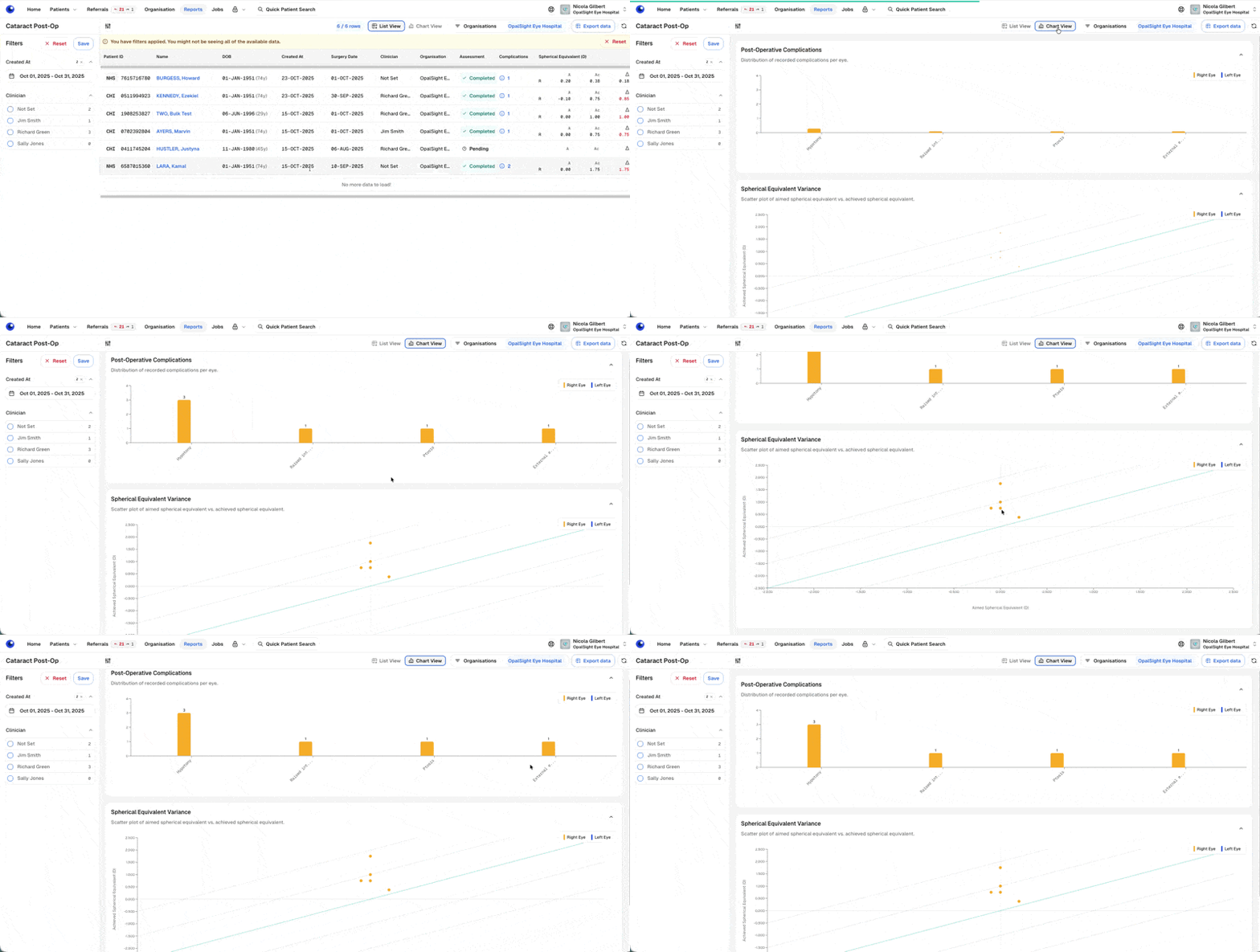
The Reports menu now includes a dedicated Cataract Post-Op Assessments section.
A list view provides summary information for each patient.
A chart view offers a quick visual snapshot of complication rates and spherical equivalent variance.
Data can be exported for further analysis.
Complications are displayed using an NOD-aligned list for consistency with national reporting.
Why we made this change
To make it easier to monitor cataract post-operative outcomes at both a high level and in detail — and to support the complication reporting requirements for NOD (National Ophthalmology Database) submissions.
👁️ Improved Vision Assessment – Easier “Method” Selection
We’ve made it quicker and clearer to record the vision assessment method in both Standard Referral and Cataract Post-Op measures.
What’s new
The “Method” field now uses radio buttons instead of a dropdown menu.
“Snellen” is pre-selected by default, since most users choose this method.
You can still select “Logmar” if needed — simply click or tab to choose.
Why we made this change
Feedback showed that users almost always select Snellen and found the extra dropdown click unnecessary. This update makes both options visible at a glance and reduces the number of steps needed to complete a Vision Assessment.

🛡️ Reducing the Risk of a Missed Referral
We’ve introduced new automated logic to further minimise the chance that a patient’s referral is overlooked.
What’s new
When a patient triage questionnaire is sent and no response is received after two weeks, a weekly notification is now sent to remind users that follow-up with the patient may be needed.
If there’s still no response after four weeks, the referral status automatically moves into the queue for clinical triage to ensure it’s not missed.
Why we made this change
To provide extra safeguards that help ensure every patient referral is followed up appropriately — even when a patient does not respond to their initial questionnaire.